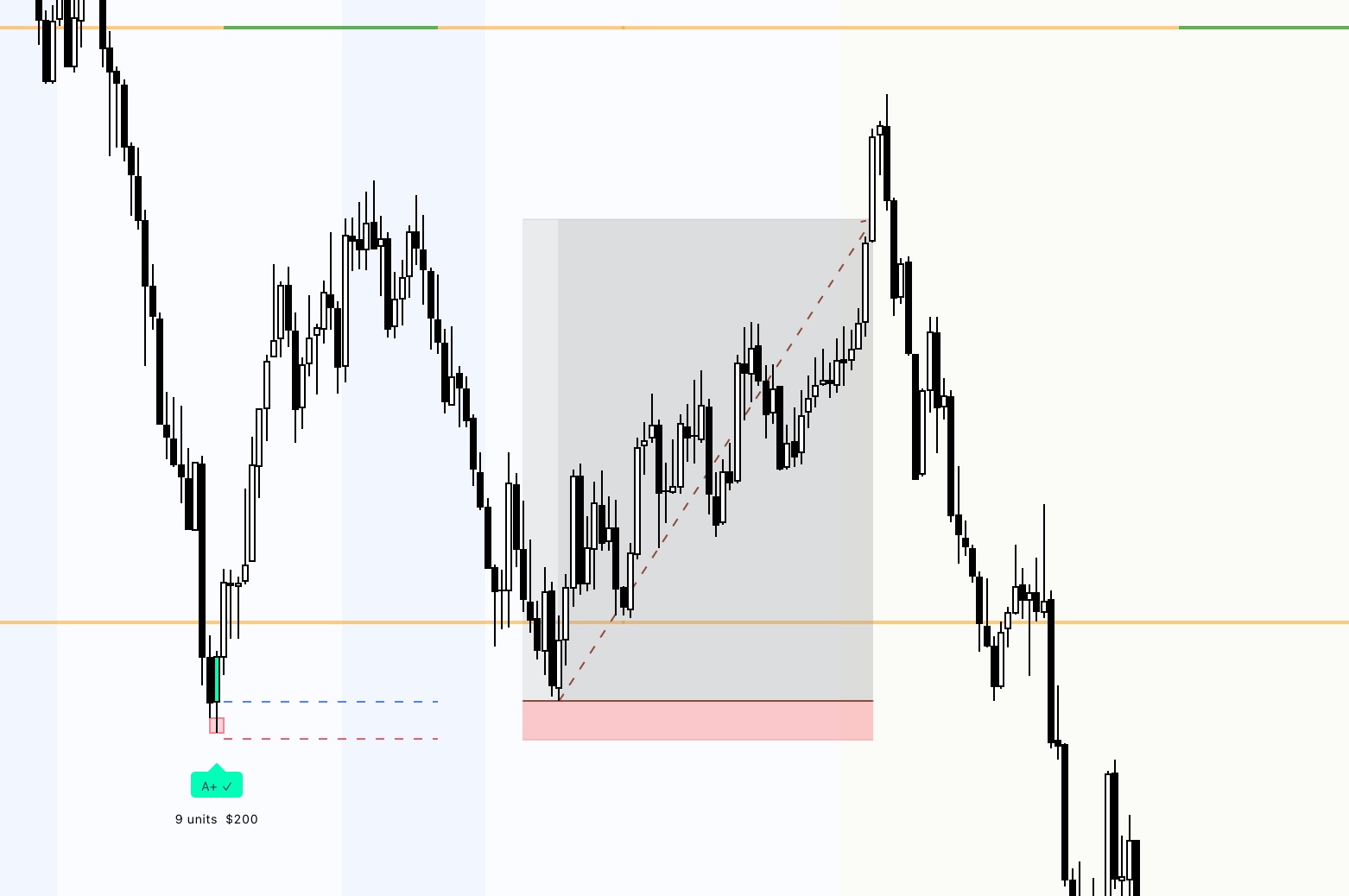
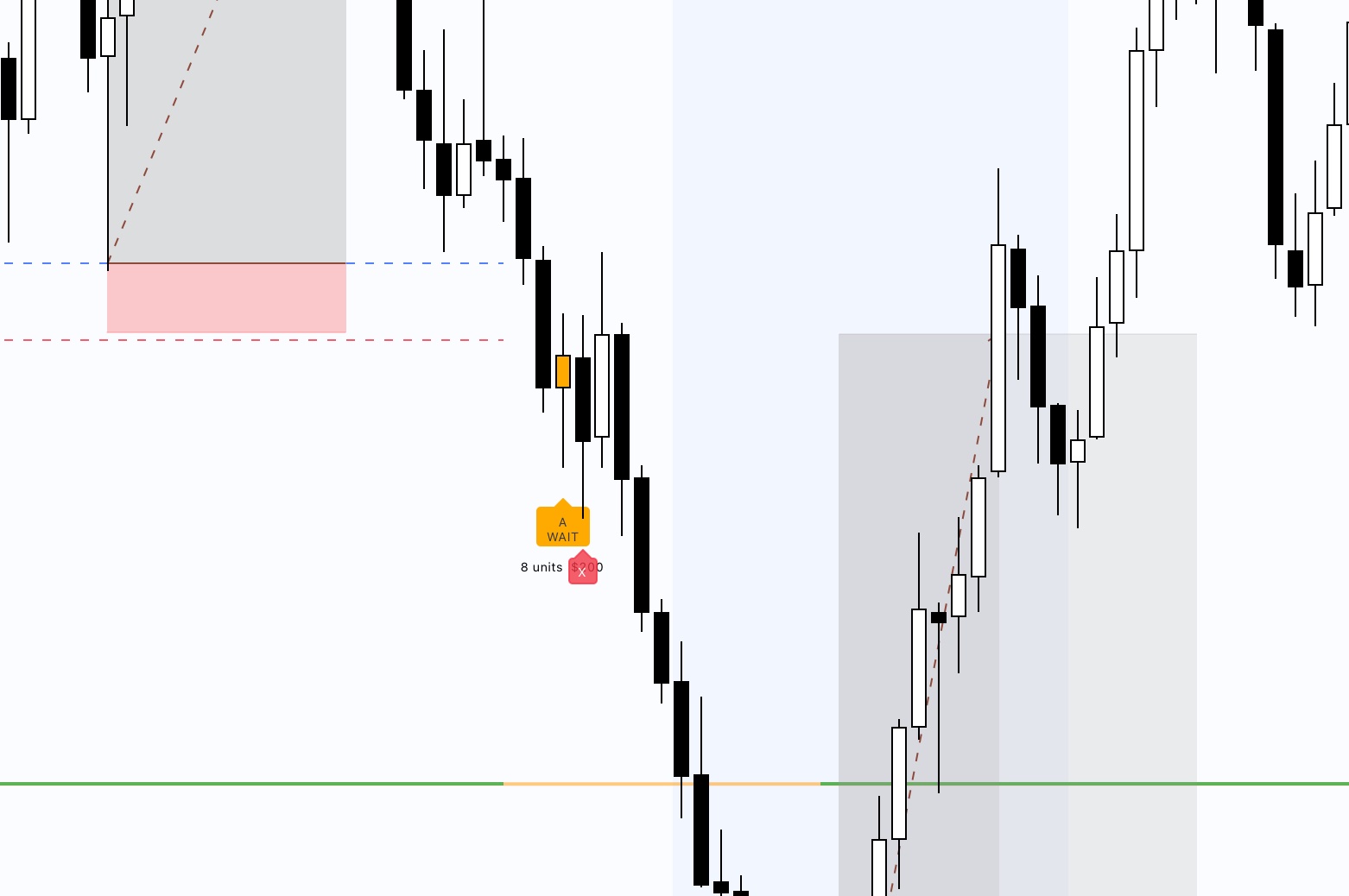
Automatically identifies A+ and A setups, warns before liquidity traps, and calculates your exact position size — in real time on TradingView.
Not every Rejection Block is equal. The indicator automatically classifies signal quality — you only trade the setups that are actually worth it.
Macro Window or Early NY, major sweep below Premarket Low, bullish reversal candle with real wick. Highest priority — this is where most of the edge lives.
Early NY or Lunch with sweep. Less perfect conditions but still tradeable. The indicator automatically warns when liquidity sits below.
Signal present but conditions not optimal. Shown for analysis only — no entry recommended. Discipline is the lesson here.
As soon as the signal appears the indicator shows WAIT — one confirmation candle must hold the low. Only then do the Entry / SL / PMH lines appear automatically.
If the next candle trades below the RB low, a red X appears. Clear rule. No discussion.
Your entry is a limit order placed at the open of the rejection candle. When price retests that level you are filled at the exact top of the structure — tightest stop, maximum RR.
No emotion. Just structure.
The indicator checks whether untested liquidity sits below the RB — real wicks on the candle chart, not line chart noise. If detected, the label immediately turns red.
Often a Tier A setup forms, the market sweeps stops below, then the real A+ signal forms. This saves you from entering too early.
No more blown stops from LQ sweeps.
Set your dollar risk once — the indicator automatically calculates how many contracts to take based on the SL distance of each individual setup.
Your limit order sits at the open of the rejection candle, so every entry is pre-calculated before price even retests. You know your contracts, your stop and your target before the fill.
MNQ, NQ, MES, ES or custom. Never manually calculate again while the market is moving.
MNQ $0.50/tick · NQ $5.00/tick · Custom
Time windows, session colors, execution lines, SL buffer, sweep box, premarket lines, LQ sensitivity, asset selection, alert texts — all adjustable directly in TradingView.
Whether 1-minute or 2-minute charts, NY Open or Macro window — the indicator adapts to you. No coding required.
Fully configurable without any coding knowledge.
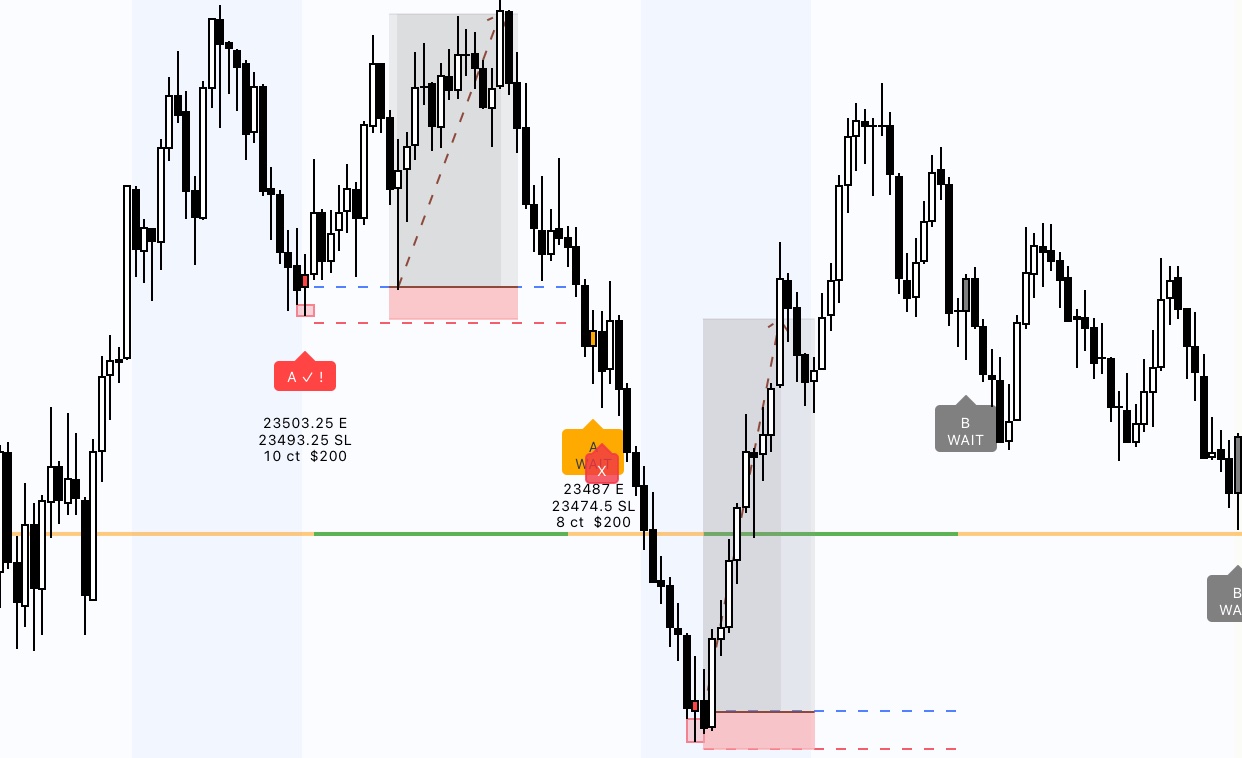
Most traders spend hundreds on failed prop challenges — often without changing anything structurally. The indicator won't guarantee you pass. But it gives you defined rules, clear entries, and automatic risk sizing instead of guesswork.
Real historical A+ and A setups — bottom-tick limit entries, automatic risk sizing, high RR.
"The WAIT signal alone has already saved me from several bad entries. I now only trade A+ and my results have completely turned around."
"The LQ warning is the feature that surprised me most. I would have entered an RB that dropped another 60 points after. This saved me."
"Auto risk sizing for MNQ directly on the chart saves me so much time and stress. Just set it and stay focused — exactly what I needed."
"The limit order mechanic changed everything. I used to chase entries — now I place the limit and walk away. It fills at the exact retest level every time."
"Three weeks in and I finally have a repeatable process. A+ signal, confirmation, limit placed. That's it. No more random decisions mid-session."
"Clean, no noise, does exactly what it says. I've tried four other NQ indicators — this is the only one built around a real methodology, not just pattern painting."
Both plans include full indicator access. Cancel anytime, no commitment.
The indicator works on its own. The community teaches you to read it the way it was designed to be read — every session, live, with real annotations and context you can't get from the tool alone.
Primarily optimized for MNQ and NQ (Nasdaq Futures). Also works for ES, MES and other futures — tick size and asset are fully adjustable in the menu, custom assets supported.
The indicator works technically with any TradingView plan. For real-time futures data we recommend at least the Essential plan.
After purchase you send me your TradingView username. I manually add you as an invite-only user — the indicator then appears in your library under "Invite-only Scripts". Usually within 24 hours.
Once a signal is confirmed — the next candle closes above the RB low — the indicator draws a line at the open of the rejection candle. That is your limit order level. Place a buy limit there and wait. When price retests the level you fill at the top of the structure with the tightest possible stop and best RR.
The indicator itself is identical in both plans. Pro additionally includes direct Telegram access where I explain setups live every session, post my own trades, and do weekly chart reviews.
Optimized for 1-minute and 2-minute charts during the NY session (9:30–16:00 ET). All time windows are fully adjustable in the settings menu.
Yes, cancel anytime — no minimum term. Your access stays active until the end of the current billing period. To cancel, use the Stripe Customer Portal → — just enter the email you used at checkout, no account needed. You can also cancel by emailing mptrades06[at]web.de.
No. MPTrades Ultimate is a technical analysis tool and does not constitute financial or investment advice. Trading involves significant risks. Past performance is not indicative of future results.
Every session has setups. The only question is whether you see them clearly — and whether you enter at the right price.